

Why Bundle? Double Your Credentials, Accelerate Your Career
Investing in continuous learning shouldn’t mean choosing between two high-priority skills. Whether you want to deepen your knowledge of a new subject, build technical capabilities, or keep pace with industry transformations, you may find that one area of growth naturally supports another. Pairing complementary skills lets you move forward on several fronts at once, rather than putting one goal on hold for the other. It also gives you a distinct edge in today’s job market, where employers increasingly value professionals who can bring a well-rounded perspective to their work.
By completing two Professional Certificate programs, you can:
- Build a Stackable Skillset: Combine complementary credentials to tackle complex, cross-functional challenges in your field. Each program adds a new layer of expertise, so you can build a broader foundation that supports your work in more than one area.
- Maximize Your Tuition Investment: Receive immediate, automatic savings on your professional development budget when you plan your learning journey upfront. A little planning at the start means you can pursue two programs while making the most of your budget.
- Earn Industry-Recognized Credentials: Show employers or clients the full range of your expertise with verifiable digital badges and certificates for each completed program. These credentials make your skills easy to share and easy to confirm.
How it Works: Step-by-Step to 15% Savings
Locking in your bundled discount savings is straightforward, but timing is key. To qualify for the discount, both eligible certificate programs must be registered and purchased together in the exact same online transaction. If you complete them in separate purchases, the discount can’t be applied, so it helps to choose both programs before you begin checking out.
Follow these simple steps to make sure your 15% savings are applied automatically at checkout:
Step 1: Explore Eligible Certificates
Browse our catalog of eligible Professional Certificate programs to select the two credentials that align with your career goals. Right now, we are offering UVM’s popular Companion Animal End-of-Life Doula combined with the new Pet Loss Grief Support Specialist to bundle for a 15% savings.
Bundles currently available:
Step 2: Add Your First Certificate
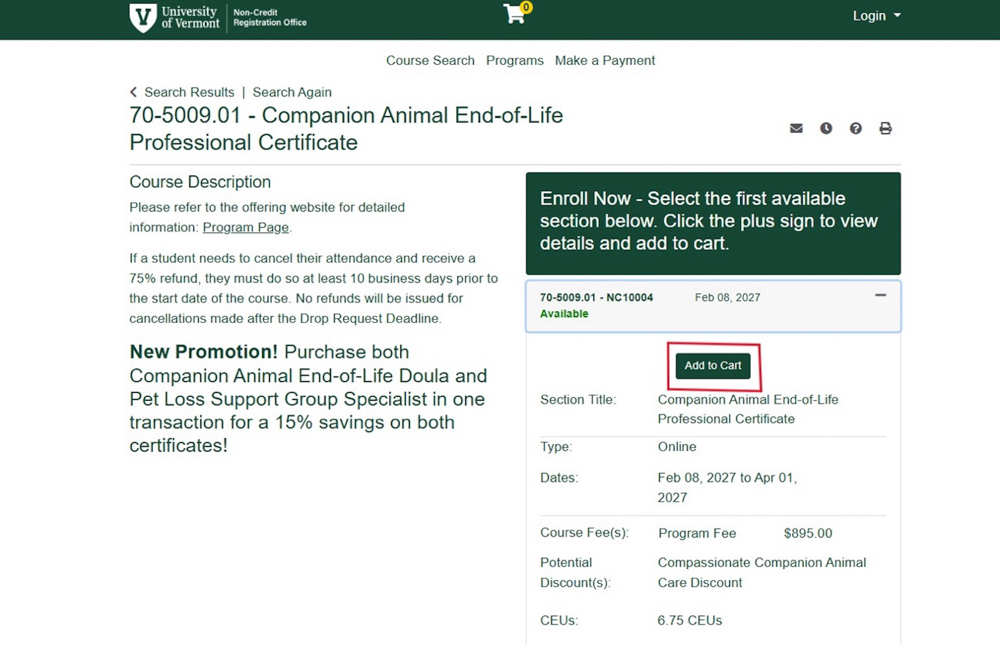
When viewing the Course page of the first course you wish to select, choose the upcoming start date, and click the “Add to Cart” button.
Step 3: Select & Add Your Second Certificate
Before completing your purchase, follow the below step-by-step instructions on how to navigate to your second selected program.
Step-by-Step guide for adding the second selection:
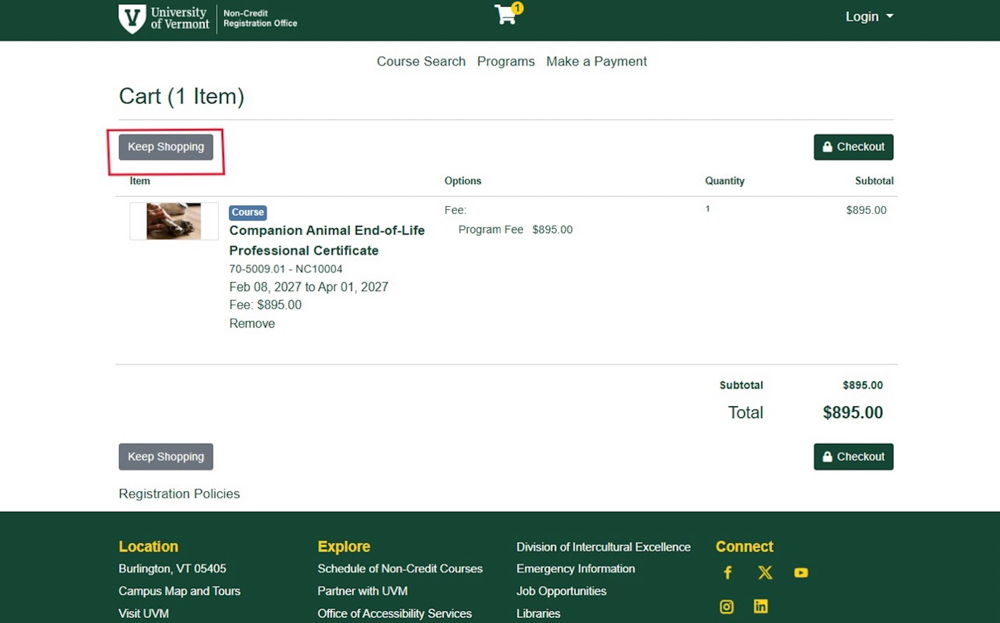
1. From your Cart with a Course already selected, click the “Keep Shopping” button.
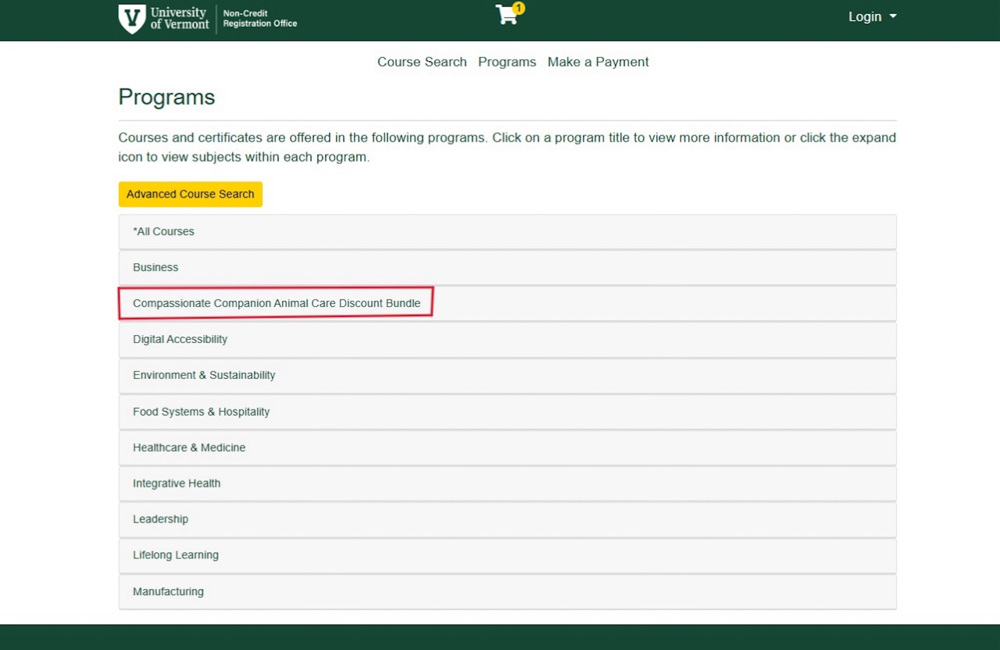
2. From the Program list, click the link for the listed Bundle offering.
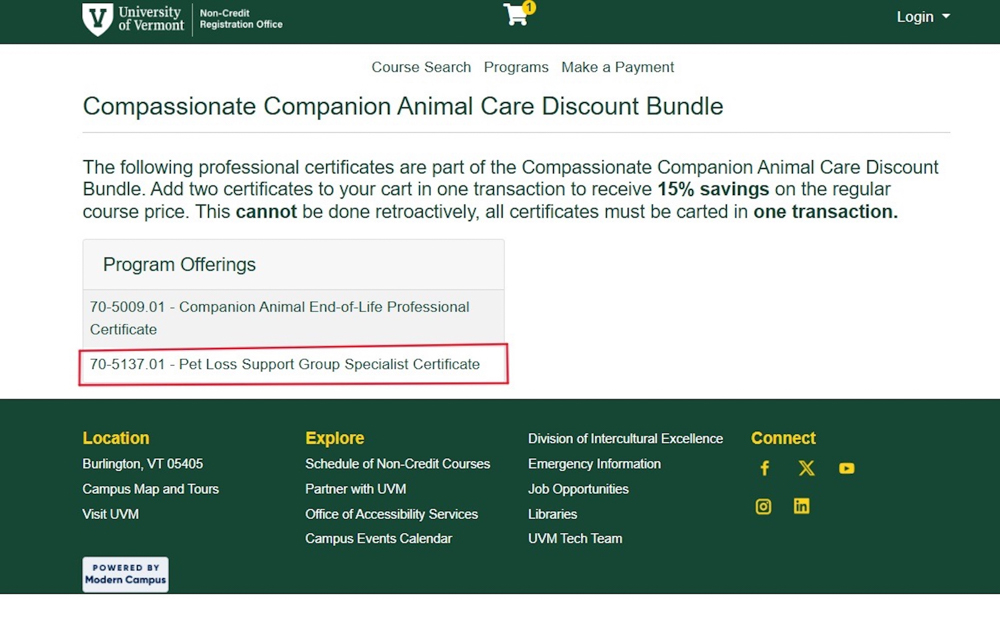
3. Select on the Course from the Bundle that you wish to add to the Cart.
4. Click the “Add to Cart” button on the Course page.
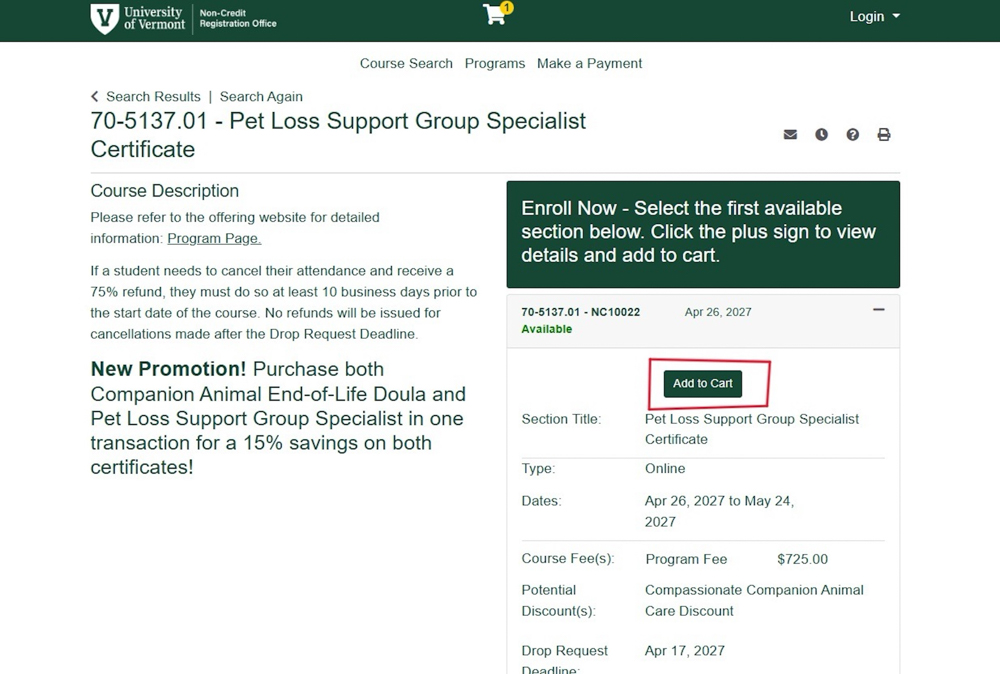
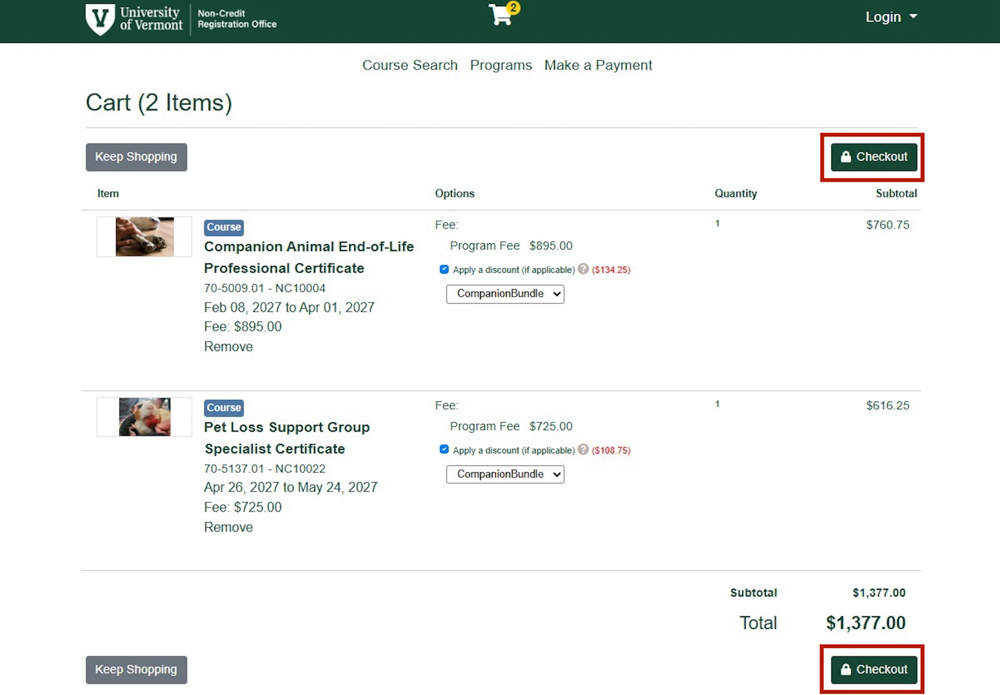
5. In your Cart, select the Checkbox for both Courses, listed “Apply a Discount”.
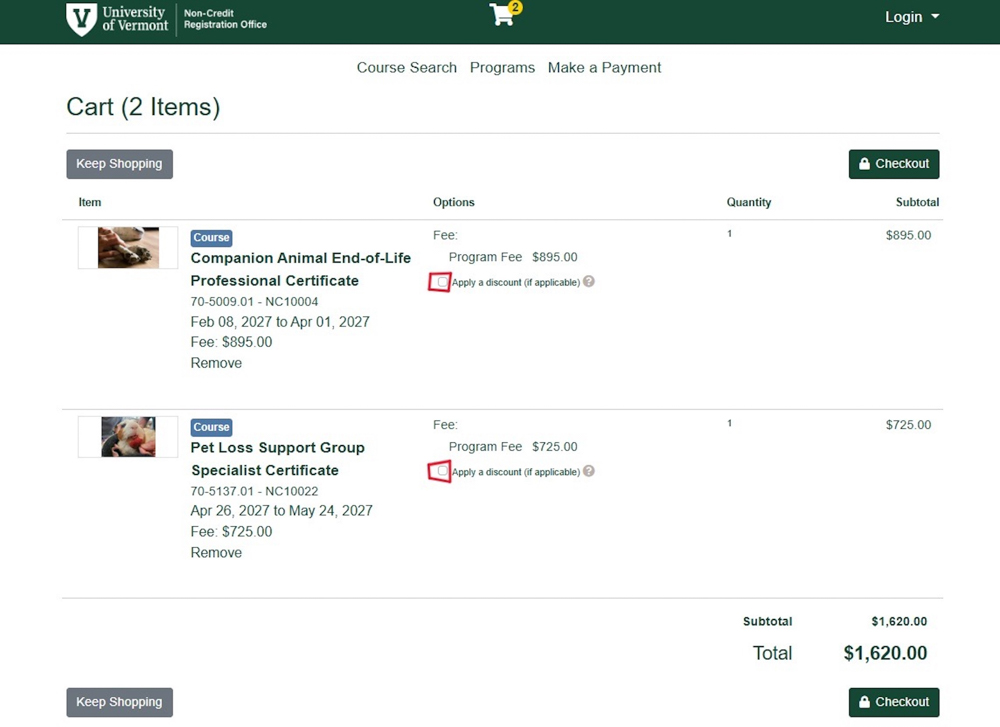
6. For each Discount, select the Bundle Name from the Drop-Down.
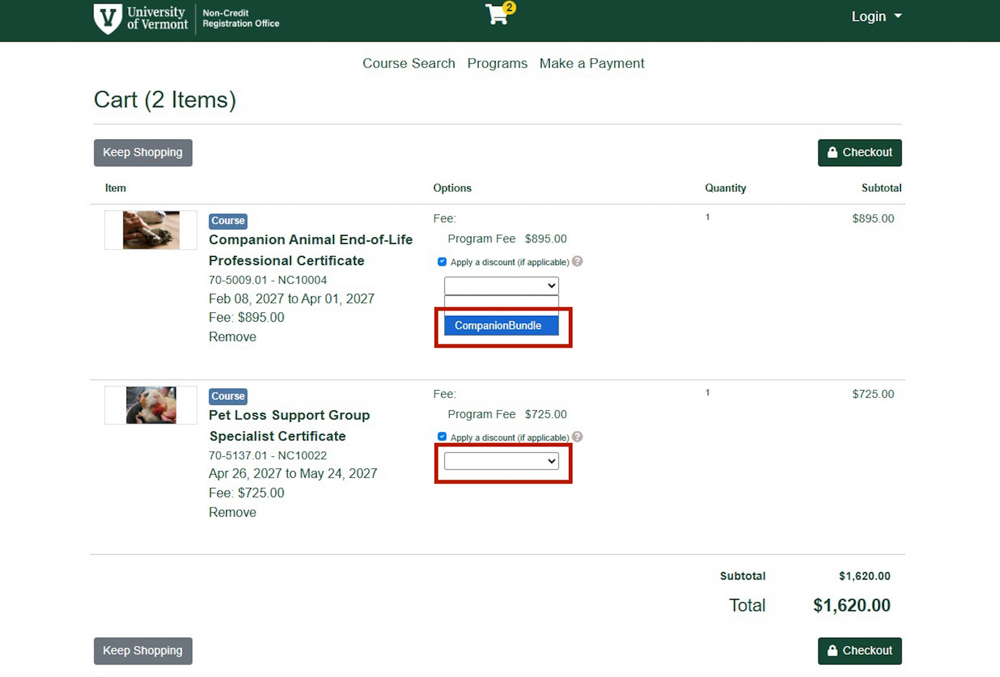
7. When selected, both Courses should indicate the Discount rate is applied to the cost.
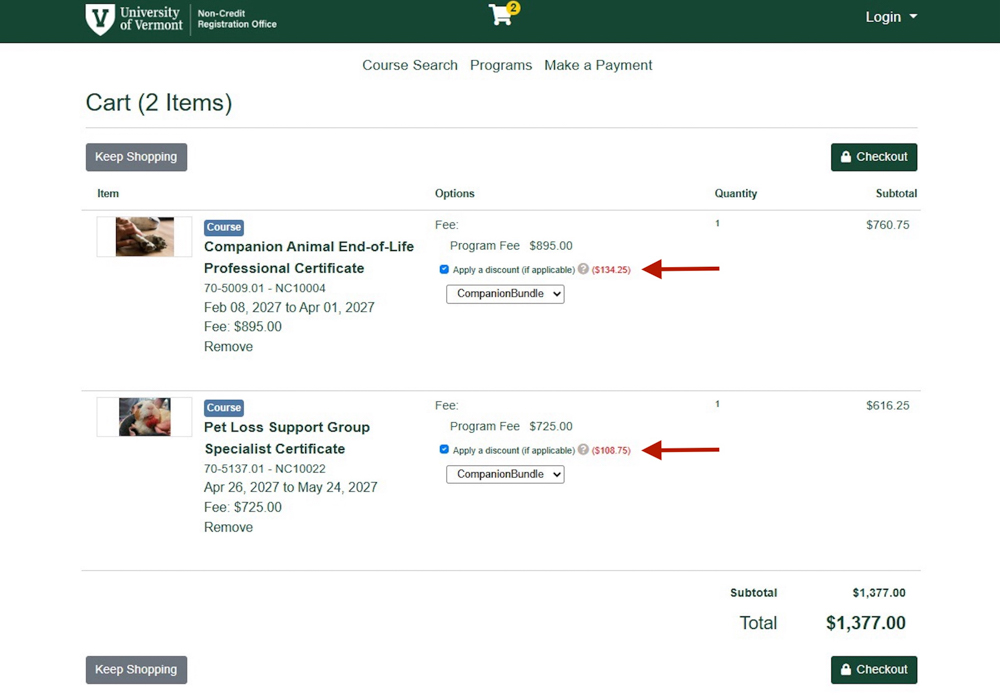
8. Select the “Checkout” button to complete the purchase.
Watch the Step-by-Step guide for adding the second Program:
Step 4: Check Out & Enjoy Automatic Savings
Proceed to checkout with both eligible Professional Certificates in your cart. If you have chosen “Apply a Discount” checkbox and selected the associated bundle option from the dropdown box for both courses, the 15% savings on the regular course price will be automatically calculated and applied to your total balance during this single transaction.
To complete the purchase, click the “Checkout” button.
⚠️ Important Note on Discount Eligibility:
The 15% discount must be applied at the time of checkout by carting both certificates in one transaction. Discount savings cannot be applied retroactively to previous registrations or separate transactions.
Ready to Plan Your Learning Path?
Take the next step in your professional development journey, and start exploring professional certificates today!